
Download Google Classroom – free online teaching platform, classroom management, collaboration
Overview
Google Classroom is a free, web‑based platform designed to streamline the teaching and learning experience for educators and students alike. Built on the robust G Suite ecosystem, Classroom brings together Google Docs, Drive, Slides, and Meet in a single, intuitive interface that reduces administrative overhead and encourages real‑time collaboration. Whether you’re a K‑12 teacher, a university professor, or a corporate trainer, the tool lets you create classes, distribute assignments, give feedback, and monitor student progress without leaving the browser.
The platform’s two primary workspaces—Students and Stream—give teachers granular control over how learners interact, post, and submit work. A class code simplifies enrollment, while automatic due‑date tracking, overdue flags, and integrated grading keep everyone on schedule. Because everything lives in the cloud, there’s no need for paper handouts, and all files are securely stored on Google Drive.
In short, Google Classroom transforms traditional classroom logistics into a seamless, digital workflow that saves time, promotes engagement, and supports a modern, collaborative learning environment.
Core Features That Make Google Classroom Stand Out
- Unified Classroom Dashboard: Teachers can manage multiple classes from a single home screen, switching between courses with a few clicks.
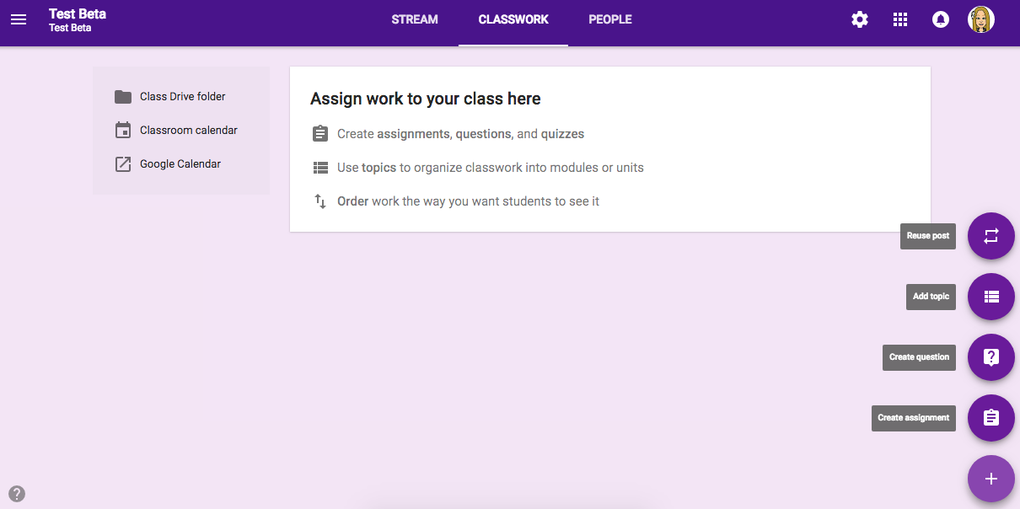
- Streamlined Assignment Workflow: Create, schedule, and attach resources (Docs, Slides, PDFs, YouTube links) in seconds; automatic due‑date reminders keep students on track.
- Real‑Time Feedback & Grading: Comment directly on submissions, assign points, return graded work, and notify students instantly.
- Google Workspace Integration: Seamless access to Docs, Sheets, Slides, Forms, and Meet without leaving the Classroom environment.
- Secure Enrollment via Class Code: Students join with a simple alphanumeric code, eliminating the need for manual email entry.
- Automatic Overdue Tracking: Late submissions are flagged automatically, helping teachers enforce deadlines consistently.
- Collaborative Commenting: Enable or disable student comments on posts, fostering peer‑to‑peer discussion while maintaining teacher control.
- Mobile‑Friendly Apps: Dedicated Android and iOS apps let teachers and students stay connected on the go.
- Analytics & Progress Monitoring: Quick visual reports show who has turned in work, who is lagging, and overall class performance.
- Zero Cost & Secure Cloud Storage: Free for anyone with a Google account, with data encrypted at rest and in transit.
Installation, Setup & Compatibility
Getting Started on Any Device
Google Classroom is a cloud‑native service, which means there is no traditional “installation” process for desktop users. Simply navigate to classroom.google.com, sign in with your Google account, and you’re ready to create your first class. For mobile users, the process is equally straightforward: download the “Google Classroom” app from the Google Play Store (Android) or the Apple App Store (iOS), log in with the same credentials, and you’ll have full functionality at your fingertips.
Step‑by‑Step Classroom Creation
- Log in to Google Classroom using a personal or institutional Google Workspace account.
- Click the “+” button and select “Create class.”
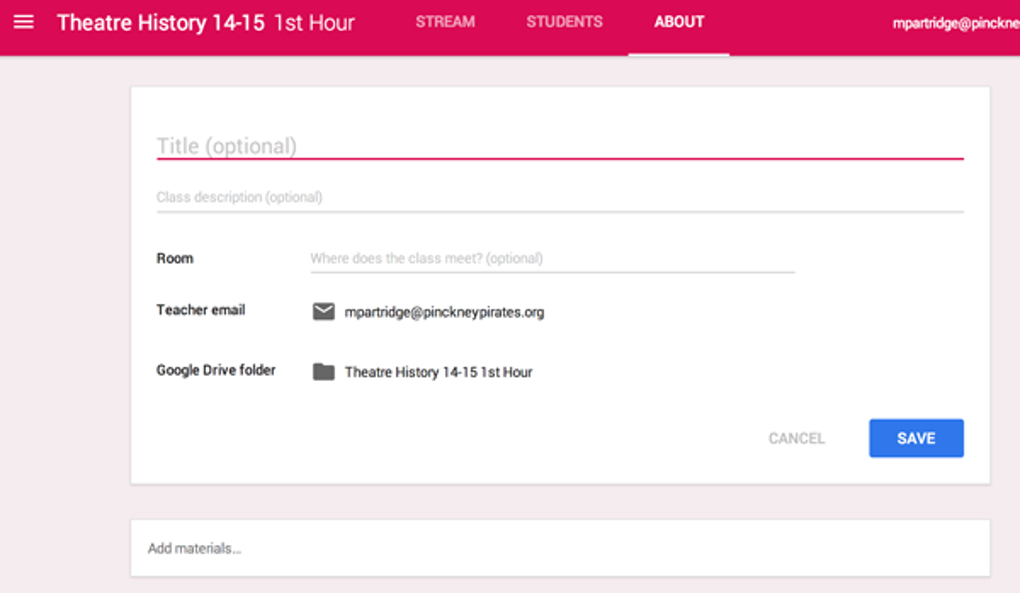
- Enter a class name, section, subject, and room (optional).
- Save the class; a unique class code will be generated on the left‑hand side of the Stream page.
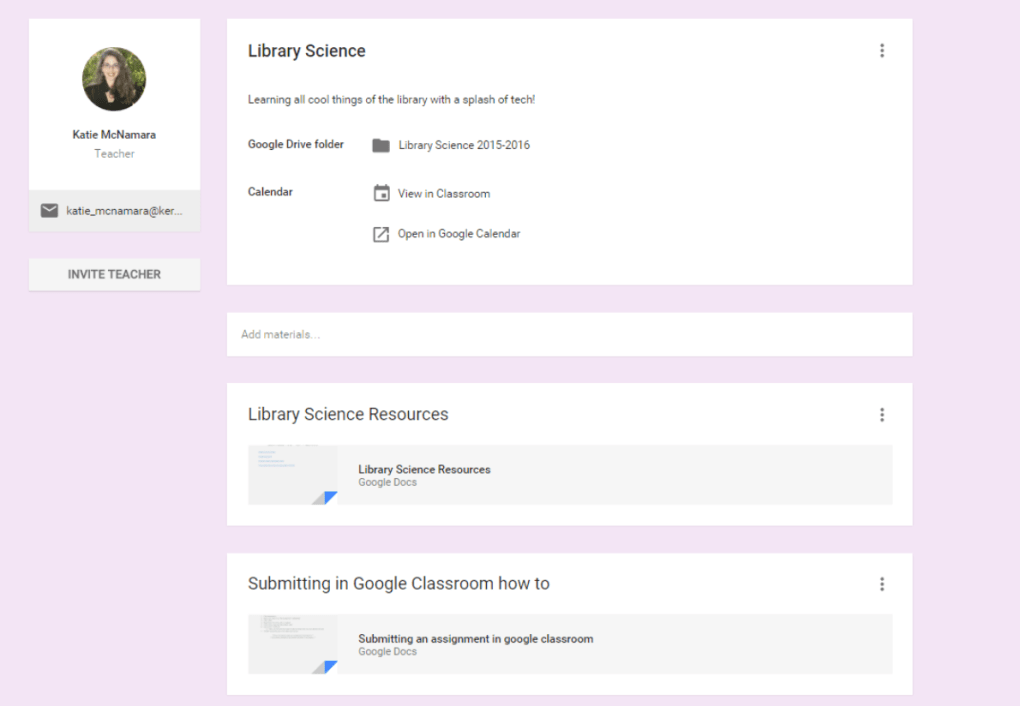
- Share the code with students, or manually invite them by entering their Google email addresses.
- Begin posting announcements, assignments, and resources via the Stream tab.
System Requirements & Supported Operating Systems
Google Classroom works on any modern web browser (Chrome, Firefox, Edge, Safari) and is fully compatible with Windows 10/11, macOS 10.13 or later, Chrome OS, as well as Android 5.0+ and iOS 13+. Because the platform runs in the cloud, there are virtually no hardware constraints—any device that can access a browser or the mobile app will provide a smooth experience. For optimal performance, we recommend using the latest version of Google Chrome, as many G Suite features are tightly integrated with Chrome’s rendering engine.
Security & Privacy Considerations
All data transmitted through Classroom is encrypted using TLS 1.2, and files stored in Google Drive inherit Google’s robust security policies, including two‑factor authentication, granular sharing controls, and compliance with FERPA, GDPR, and other educational privacy standards. Administrators can enforce additional policies through the Google Admin console, such as restricting external sharing or mandating secure sign‑in methods.
Pros & Cons – Balanced Evaluation
What Teachers Love About Google Classroom
- Completely free for educators and students with a Google account.
- Deep integration with Google Workspace eliminates the need for third‑party tools.
- Intuitive UI that requires minimal training for both teachers and learners.
- Real‑time collaboration and instant feedback accelerate the learning cycle.
- Automatic grading and overdue tracking reduce administrative workload.
- Mobile apps keep the classroom accessible from anywhere.
- Robust security and compliance features meet institutional standards.
Areas Where Google Classroom Could Improve
- Limited customization of the user interface compared to dedicated LMS platforms.
- Advanced analytics and reporting are basic; power users may need add‑ons.
- No native support for complex grading rubrics or competency‑based assessment.
- Dependency on a stable internet connection; offline capabilities are minimal.
- File storage caps are tied to the user’s Google Drive quota, which may require upgrades for heavy media use.
Frequently Asked Questions (FAQ) & Final Thoughts
-
Is Google Classroom really free for all users?
Yes. Any individual with a personal Google account or a school that uses Google Workspace for Education can access Google Classroom at no cost. There are no hidden fees for core features such as class creation, assignment distribution, and grading.
-
Can I use Google Classroom offline?
Google Classroom’s offline support is limited. While you can view previously opened assignments and compose drafts in Google Docs offline, you cannot submit work or receive real‑time updates without an internet connection. Sync occurs automatically once you reconnect.
-
How does grading work within Classroom?
Teachers can assign point values to each assignment, add comments directly on student submissions, and mark work as “graded.” The grade appears in the student’s Google Classroom stream and can be exported to Google Sheets for record‑keeping.
-
Is student data protected under privacy regulations?
Yes. Google Classroom complies with FERPA, GDPR, and other major education privacy standards. Data is encrypted in transit and at rest, and administrators can enforce additional security policies through the Google Admin console.
-
Can I integrate third‑party apps with Google Classroom?
Google Classroom supports a range of third‑party integrations via the Google Workspace Marketplace. Tools for plagiarism detection, quiz creation, and advanced analytics can be added directly from the marketplace, extending Classroom’s functionality.
Conclusion – Should You Download Google Classroom?
For educators looking for a secure, cost‑effective, and collaborative teaching environment, Google Classroom is an excellent choice. Its deep integration with Google’s productivity suite, straightforward class management, and real‑time feedback tools make it a compelling alternative to traditional learning management systems. While power users may crave more advanced analytics or offline flexibility, the platform’s ease of use and zero price point outweigh these minor drawbacks for most schools and training programs. Ready to modernize your classroom? Download Google Classroom today and experience a smoother, more connected teaching workflow.







